Your phone can install L9 in one tap.
Tap Install, then confirm. L9 lands on your home screen.
Which phone do you have?
This only works in Safari. If you opened this link inside another app such as your email, tap the menu and choose Open in Safari first.
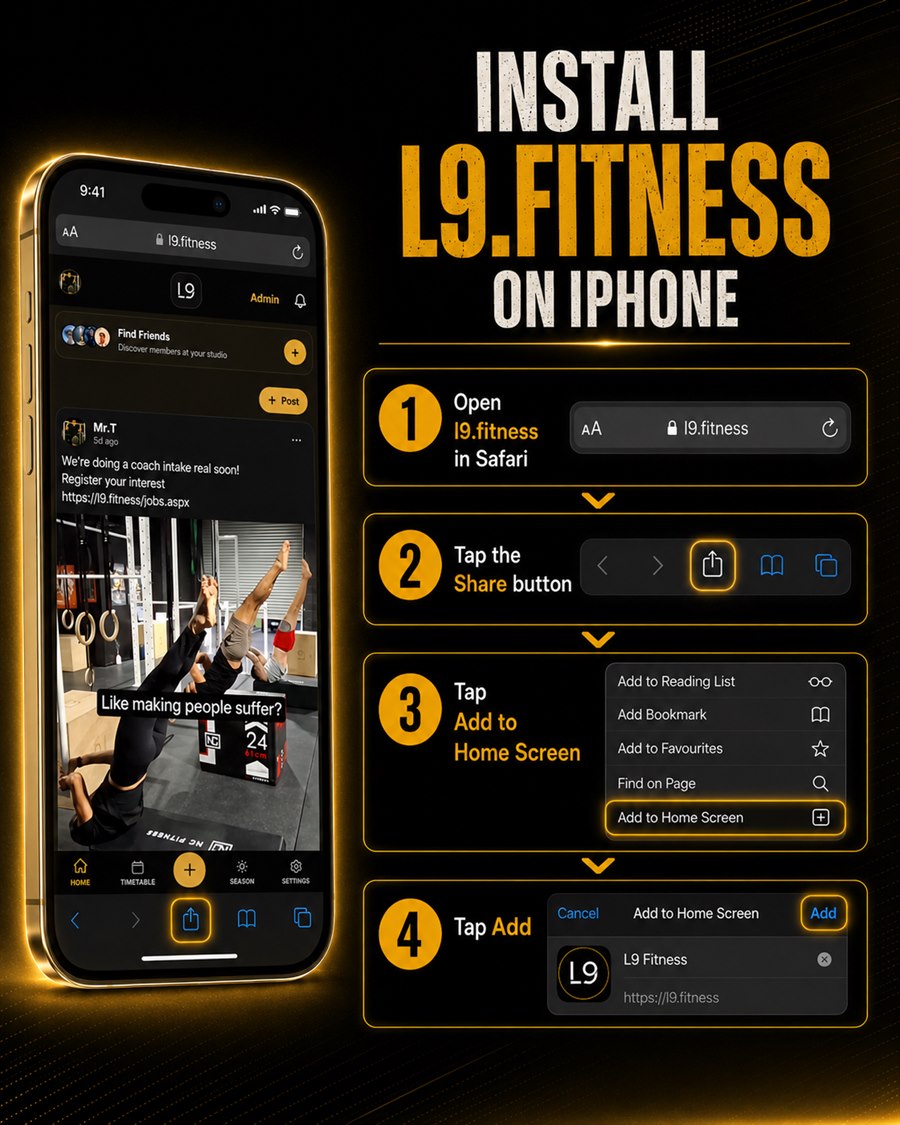
4 Easy Steps
- 1
Open l9.fitness in SafariAdd to Home Screen only appears in Safari.
- 2
Tap the Share button The square with an up arrow, at the bottom on iPhone, top on iPad.
- 3
Choose Add to Home ScreenScroll the share sheet down if you do not see it at first.
- 4
Tap AddTop right corner. The L9 icon appears on your home screen.
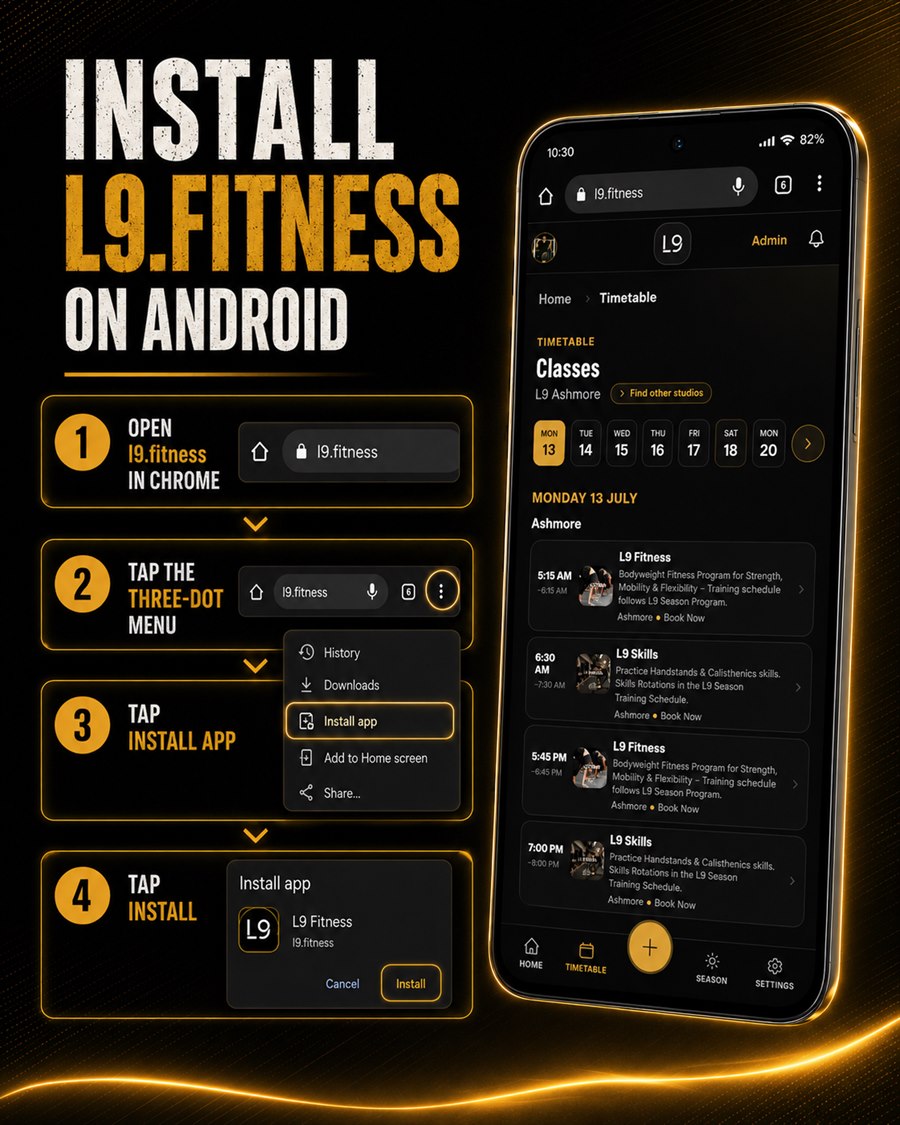
4 Easy Steps
- 1
Open l9.fitness in ChromeUse Chrome for the full app with reliable notifications. In another browser, open its menu and choose Open in Chrome, or paste l9.fitness into Chrome.
- 2
Tap the menu The three dots in the top right corner.
- 3
Choose Install appOn some phones this reads Add to Home screen.
- 4
Tap Install to confirmThe L9 icon appears on your home screen and app drawer.
Chrome often shows an Install banner at the bottom too. You can just tap that.
We recommend Chrome on Android for the full app and reliable notifications. Using Samsung Internet or another browser? Best is to open l9.fitness in Chrome and install there. If you would rather stay in Samsung Internet, tap the menu (the three lines at the bottom), choose Add page to, then Home screen.
Book classesBook sessions and manage your membership.
Season & SprintsTrack your season, sprints and points.
CommunityShare posts, add friends, check in.
RemindersClass reminders and notifications.